Changelog

What's new in RefleK's

0.6.0 Feb 8, 2026

Fatigue Detection, Smarter Recommendations, and Session Controls

This release brings major improvements to session monitoring with fatigue detection, smarter recommendations, and new ways to organize your training.

Session Monitoring

  • Fatigue detection: get alerts when your performance is declining and it's time for a break
  • Session length insights with target run counts based on your goals
  • Rename sessions and add notes to track what you're working on
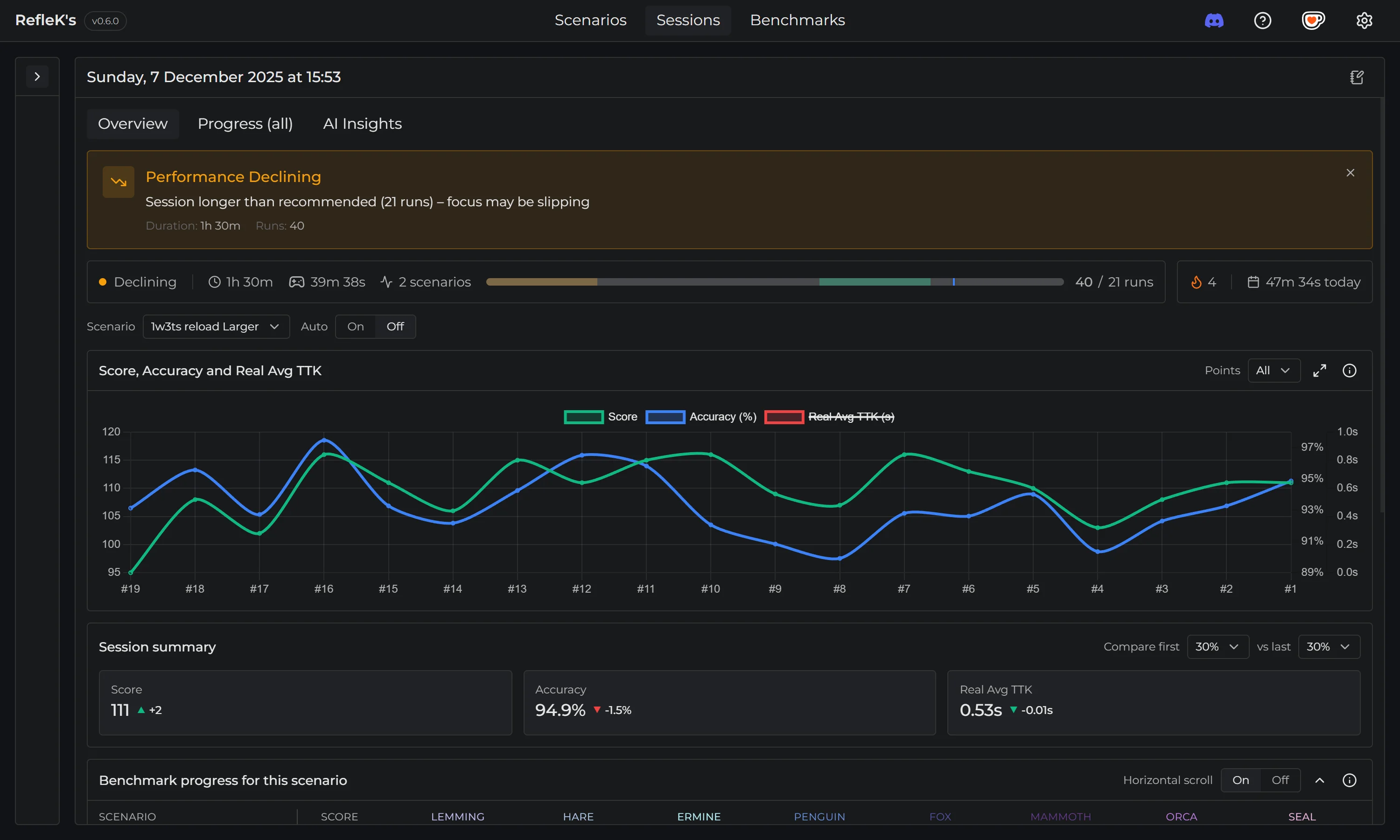
Fatigue detection alert

Benchmarks

  • Explore page recommendations: toggle on to see which benchmarks you should focus on
  • Scenario recommendations redesigned with simpler arrow indicators instead of numerical scores
  • Top Picks highlight the best scenarios to play based on category diversity and improvement potential
  • Add personal notes to benchmarks with preferred training sensitivity
  • Improved info display with better category readability
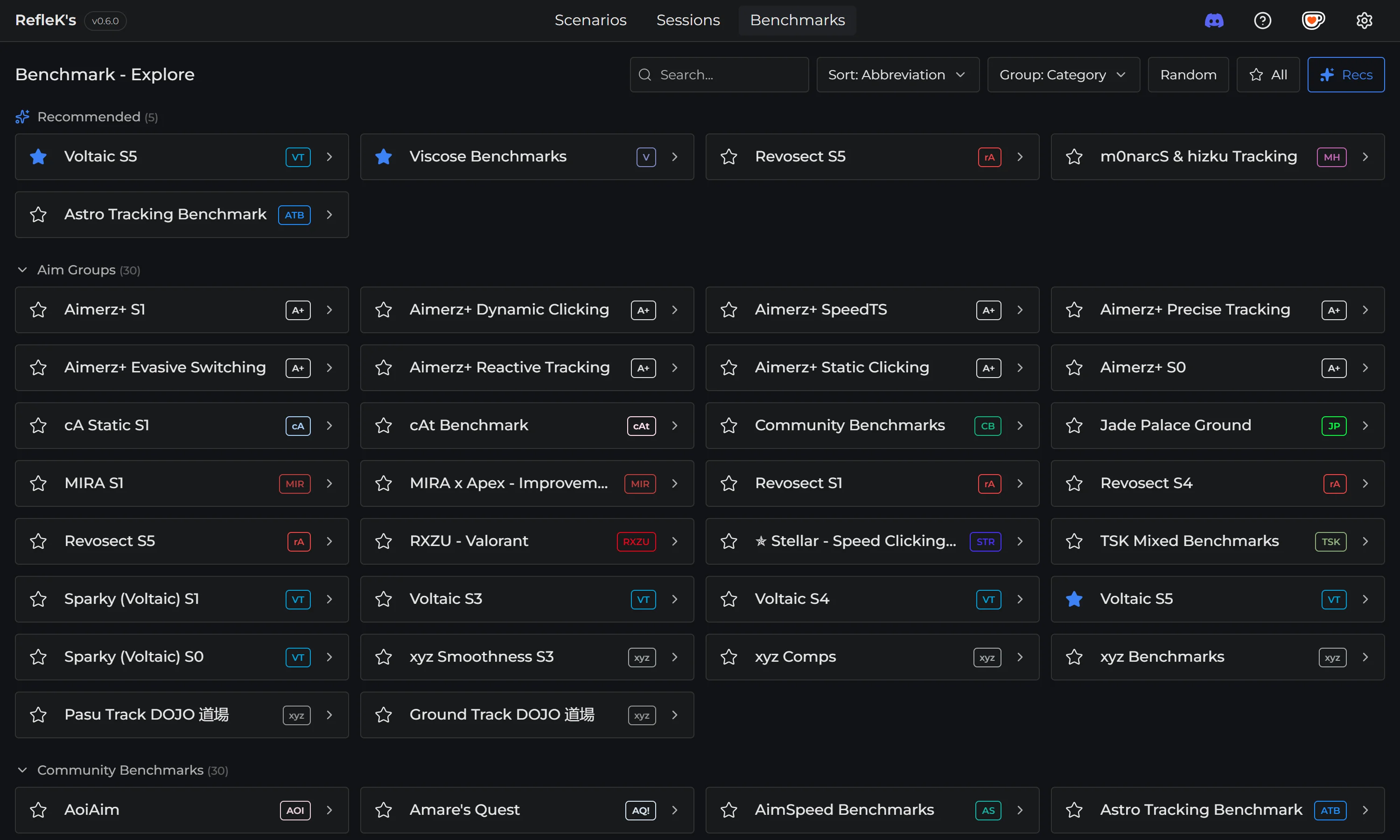
Benchmark recommendations
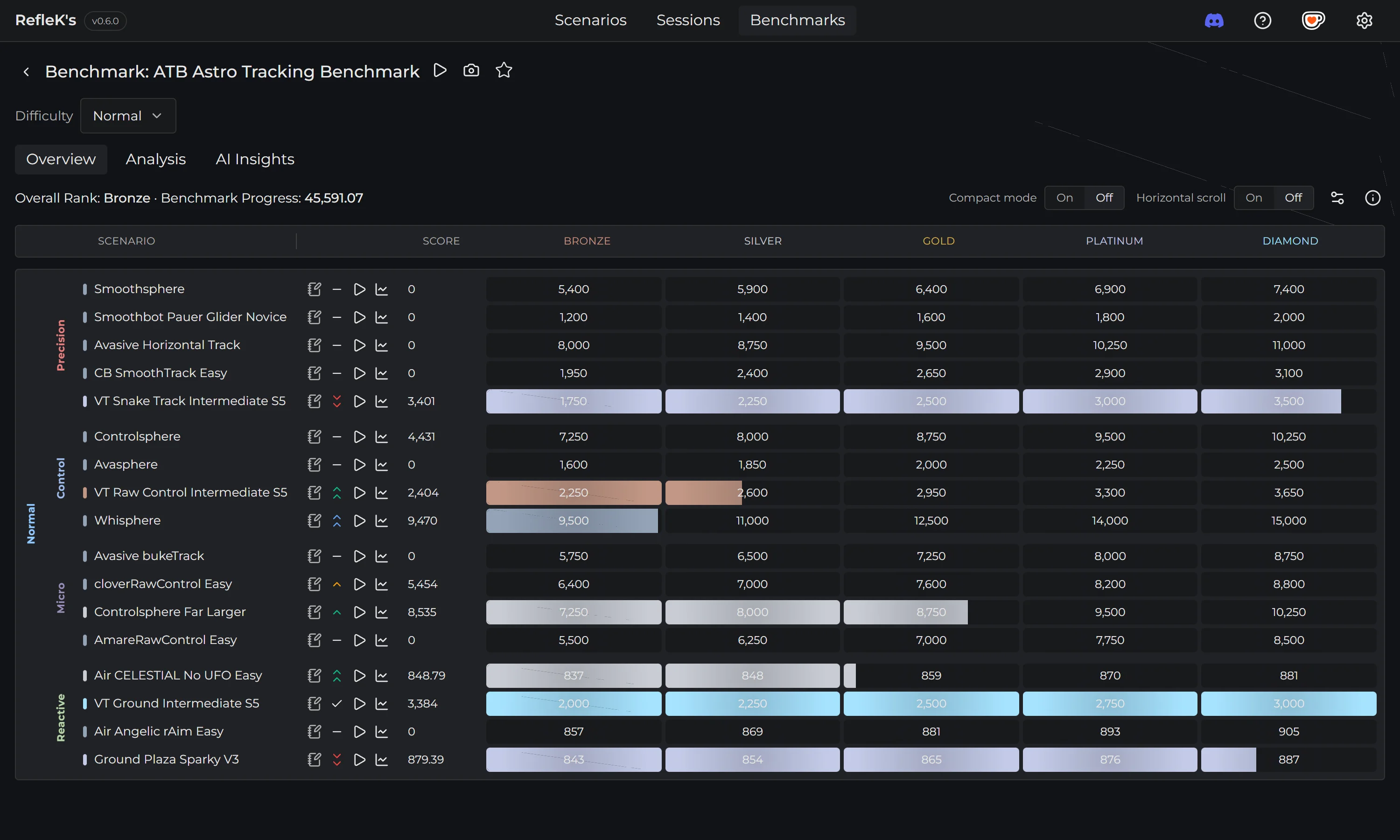
Benchmark progress with scenario recommendations

UI & Customization

  • Font settings: choose between Montserrat, Inter, or JetBrains Mono
  • Expandable charts across the app for a better view
  • Search, sort, and filter for both sessions and scenarios
  • Full-screen mouse trace viewer

Performance & Fixes

  • Internal code refactoring for improved performance and stability
  • Various UI improvements and bug fixes
0.5.3 Nov 20, 2025

Mouse Tracking Stability

Fixed critical mouse tracking issues and refined the benchmark UI for a smoother experience.

Changes

  • Mouse tracking: fixed a critical bug that could cause tracking to stop during sessions, improving stability and reliability
  • Benchmarks: refined UI/UX for benchmark tracking and added new benchmark entries
  • Mouse trace viewer: added replay speed control and minor UI/UX improvements
  • Various UI improvements and bug fixes
0.5.2 Nov 11, 2025

Patch

Various UI improvements and bug fixes.

0.5.1 Nov 11, 2025

Improved Sensitivity Suggestions

Better algorithm that uses trace data to provide more accurate sensitivity recommendations, even for cases with mixed overshoot/undershoot patterns.

0.5.0 Nov 10, 2025

Sensitivity Suggestions and Benchmark Controls

Trace analysis can now show a recommended sensitivity estimate, plus new visibility controls for benchmark tables.

New Features

  • Preview: Suggested sensitivity hints - Trace analysis can show a recommended sensitivity estimate to try
  • Benchmarks: visibility controls for ranks and an auto-hide option make benchmark tables easier to read
  • Performance vs Sensitivity chart: new bar chart showing how many runs fall into each sensitivity range
  • Various UI improvements and bug fixes
0.4.0 Nov 3, 2025

Mouse Movement Analysis

Automatic detection of overshoots, undershoots, and inefficient mouse paths. Plus share your benchmark progress with one click.

New Features

  • Preview: Mouse movement analysis - automatic detection of overshoots, undershoots, and inefficient mouse paths
  • Share your progress: new Share button copies a polished image of your benchmark progress
  • Mouse tracking: improved performance and stability - no longer affects sensitivity, now captures clicks
  • New Performance vs Sensitivity chart (formerly Score vs Sensitivity) - choose Score, Accuracy or Real Avg TTK
  • State & persistence: UI controls now persist per-page so filters and metric choices survive navigation
  • Various UI improvements and bug fixes
0.3.1 Oct 31, 2025

Patch

Auto-update (Windows): One-click updates now work reliably.

0.3.0 Oct 30, 2025

Auto-Updates and Benchmark Analysis

One-click updates, new benchmark analysis charts, and preview features for session insights and sensitivity analysis.

New Features

  • Auto-update (Windows): the app checks for updates on startup and lets you install with one click
  • Benchmarks: new Analysis tab with side-by-side charts for strengths/weaknesses and rank distribution
  • Settings: Advanced SteamID override for benchmark progress fetching

Preview Features

  • Sessions: Next high score forecast predicts number of runs to the next PB, with optimal pause and confidence estimate
  • Sensitivity analysis: see Score vs Sensitivity (cm/360) in Sessions overview
0.2.0 Oct 28, 2025

Recommendations and Session Insights

Benchmark recommendations, all-time progress tracking, and session length insights.

New Features

  • Benchmarks: new Recom column to suggest what to play next, with up/down indicator
  • New Progress (all) tab in Sessions: see all-time progress across scenarios with trends
  • Time-of-day chart to visualize when you train most
  • Switch between Runs and Sessions view in the top chart and summary
  • Session length insights: warm-up estimate and suggested runs for goals
  • Added new preset themes: Nord, Gruvbox, and Solarized Dark
  • Various UI improvements and bug fixes
0.1.1 Oct 28, 2025

Patch

Fix: Support & Feedback now opens in your default browser instead of the in-app webview.

0.1.0 Oct 28, 2025

Initial Minor Release

Proper versioning, updated settings system, and new features for benchmarks and scenarios.

New Features

  • Proper app versioning (semantic version, exposed via the app API)
  • Updated settings system with advanced options (theme, traces dir, parse-existing limit, mouse buffer)
  • New Raw Stats tab for scenarios with smart formatting and categories
  • Benchmark progress shown inside the Sessions view for the selected scenario
  • Various UI improvements and bug fixes
0.0.0 Oct 25, 2025

Initial Release

The first public release of RefleK's with automatic stat tracking, mouse recording, and benchmark browsing.

Features

  • Automatic tracking of KovaaK's stats with live updates
  • Session grouping by time gap, with session summaries and recent sessions list
  • Scenario analysis: events over time, accuracy trend, Real Avg TTK, moving averages, and consistency
  • Sessions overview: score/accuracy/TTK chart, findings (best/worst runs), and scenario-mix radar
  • Benchmarks: explore official lists, favorite benchmarks, and fetch progress via Steam (Windows)
  • Mouse movement capture and replay (Windows), saved locally to your traces folder
  • Launch scenarios in KovaaK's directly from the app
  • Themes and a basic settings page