Automatic Tracking
How RefleK's monitors your stats folder and imports runs automatically.
How It Works
RefleK's monitors your KovaaK's stats folder in real-time. When you complete a scenario, the new stats file is detected and imported automatically - no clicking, no uploading.
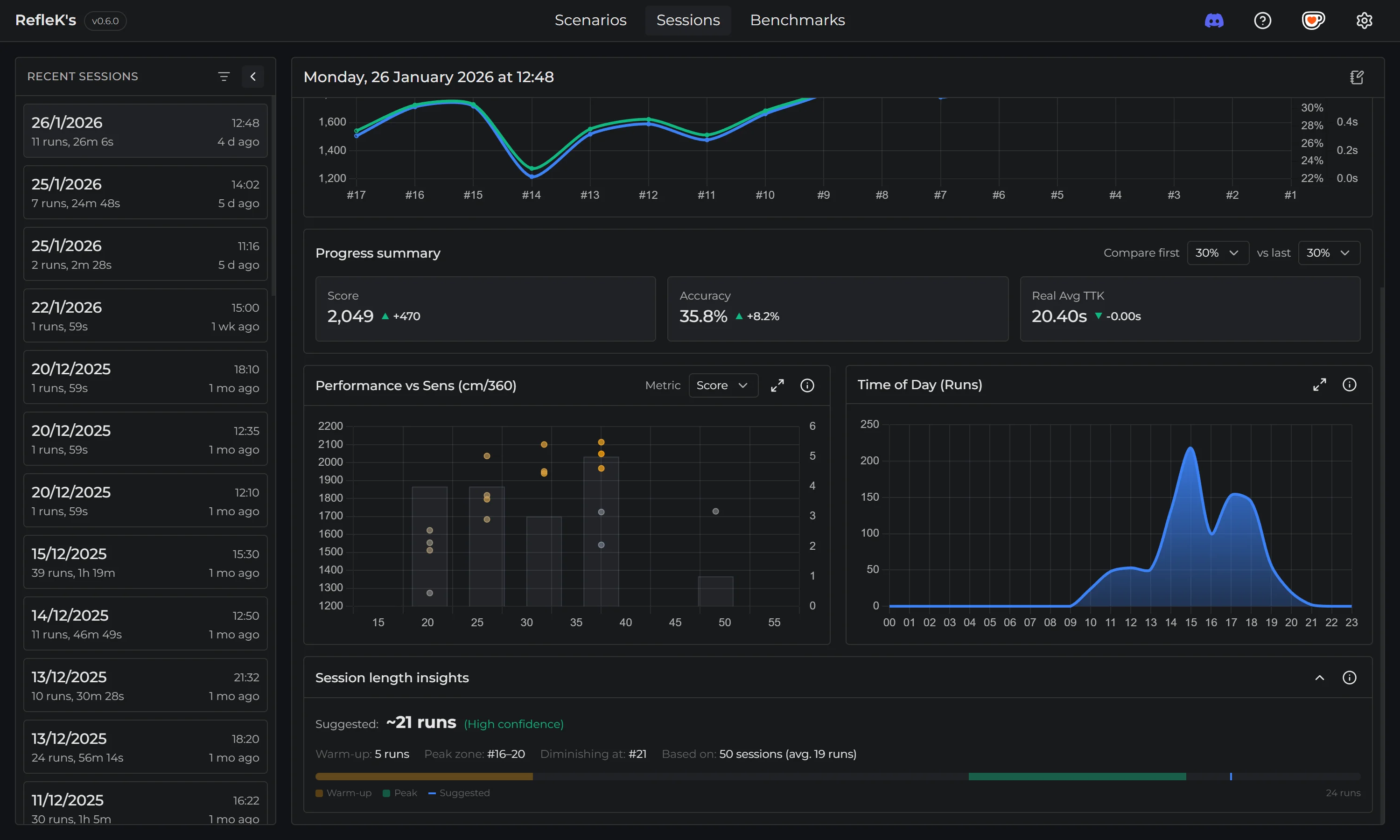
What Happens When You Play
- You complete a scenario in KovaaK's
- KovaaK's writes a stats CSV file to your stats folder
- RefleK's detects the new file within seconds
- The run is parsed and added to your history
- It appears in your Sessions and Scenarios pages
- Benchmark progress updates if applicable
Supported Data
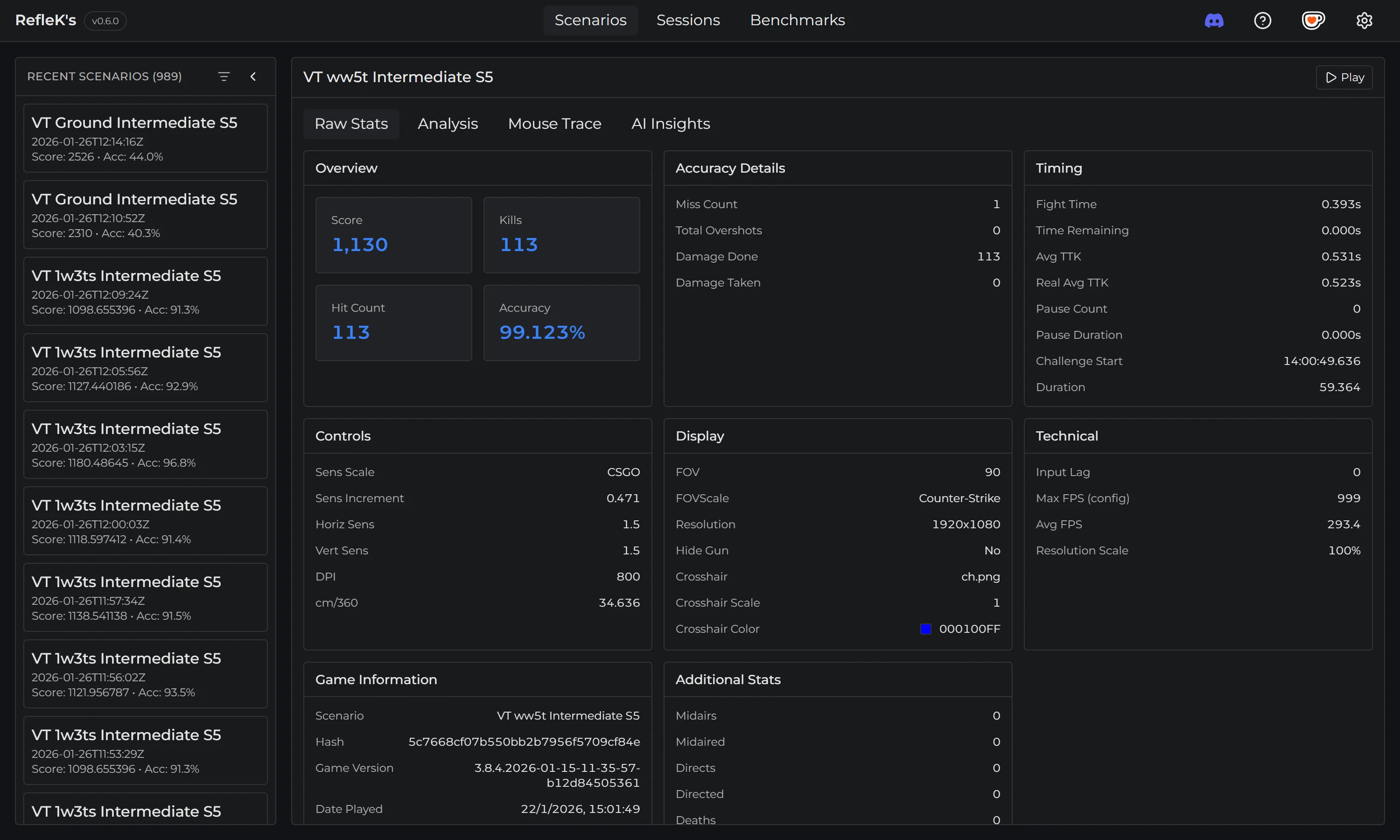
RefleK's extracts and tracks:
- Score and accuracy
- Hits, misses, and damage dealt
- Time-to-kill (TTK) metrics
- Kills per minute (KPM)
- Sensitivity settings used
- Date and time of the run
- Resolution and other game settings
Scenario Analysis
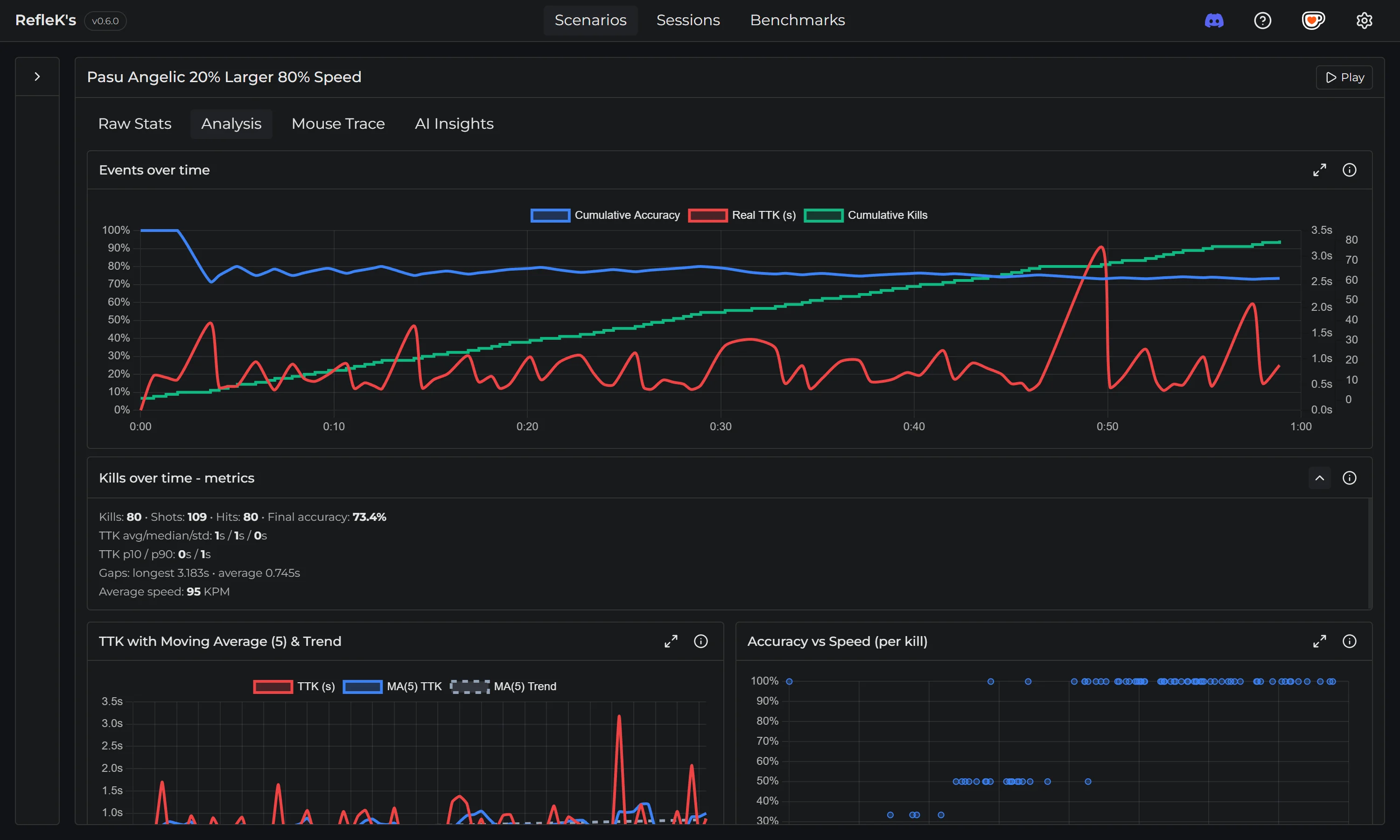
For each scenario, RefleK's provides detailed analysis:
- Events over time: See how accuracy and TTK evolved during the run
- TTK moving average: Track your consistency with 5-run moving averages
- Accuracy vs Speed: Understand the relationship between your speed and precision
- Raw data: View all the raw stats from the CSV file
Background Monitoring
RefleK's runs quietly in the background. You can minimize it and it will continue monitoring for new runs. When you're done practicing, your session will be waiting for review.
Performance: The file watcher uses minimal system resources and
won't affect your game performance.