First-Time Setup
Configure RefleK's for your KovaaK's installation.
Automatic Detection
RefleK's is designed to work out of the box. When you first launch it, it will automatically:
- Detect your KovaaK's stats folder from your Steam installation
- Start monitoring for new scenario runs
- Import your existing stats history
Default Settings
RefleK's comes with sensible defaults that work for most users:
- Stats folder: Automatically detected from your KovaaK's installation
- Session gap: 20 minutes (runs within this gap are grouped together)
- Mouse tracking: Disabled by default (enable in settings if desired)
- Theme: Dark mode
- Autostart: Disabled by default
Autostart with KovaaK's
RefleK's can start automatically when you launch KovaaK's:
- Open Settings (gear icon in the top right)
- Go to General → Autostart with KovaaK's
- Toggle it on
When enabled, RefleK's starts hidden with Windows and opens automatically when KovaaK's launches. Closing the window keeps it running in memory for quick access.
Manual Configuration
If RefleK's can't detect your stats folder automatically, you can set it manually:
- Open Settings (gear icon in the top right)
- Go to General → Stats Folder
- Enter the path to your KovaaK's stats folder
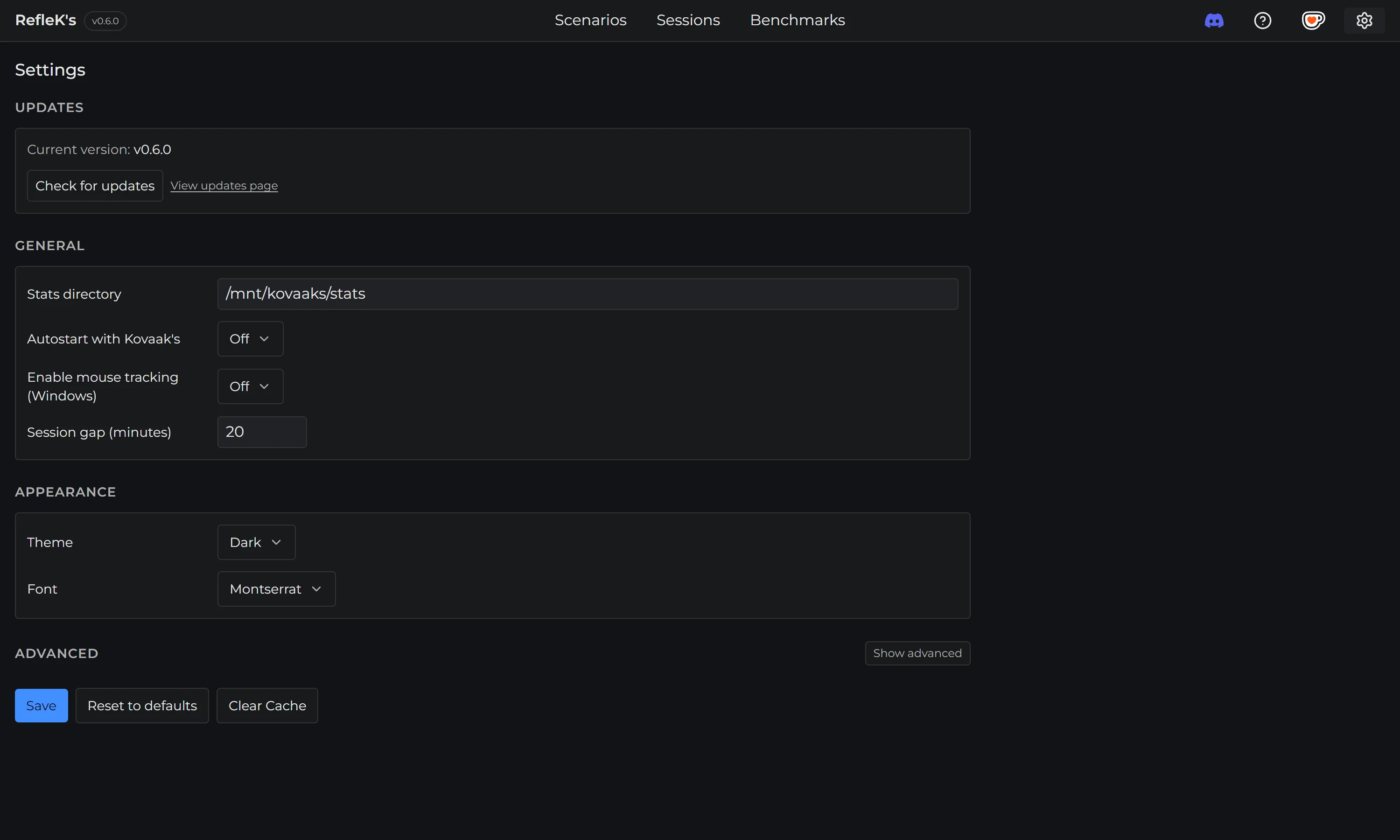
The default stats folder location is:
C:\Program Files
      (x86)\Steam\steamapps\common\FPSAimTrainer\FPSAimTrainer\stats
Steam Integration
For benchmark rankings, RefleK's detects your Steam username from your local Steam installation and uses it to fetch your progress from KovaaK's servers. This is automatic on Windows - no Steam profile visibility settings required.