Mouse Movement Recording
Record and analyze your mouse movements during scenarios.
Overview
RefleK's can record your mouse movements during KovaaK's scenarios. Replay your runs, analyze your mouse paths, and get insights into your aiming patterns.
Enable Mouse Tracking
Mouse tracking is disabled by default. To enable it:
- Open Settings (gear icon)
- Go to General → Mouse Tracking
- Toggle it on
How It Works
When mouse tracking is enabled:
- RefleK's maintains a rolling buffer of mouse movements while KovaaK's is running
- Mouse position is captured at high frequency using Windows Raw Input
- When a scenario ends, the relevant portion is extracted from the buffer and saved with your run
- Data is stored locally with your run stats
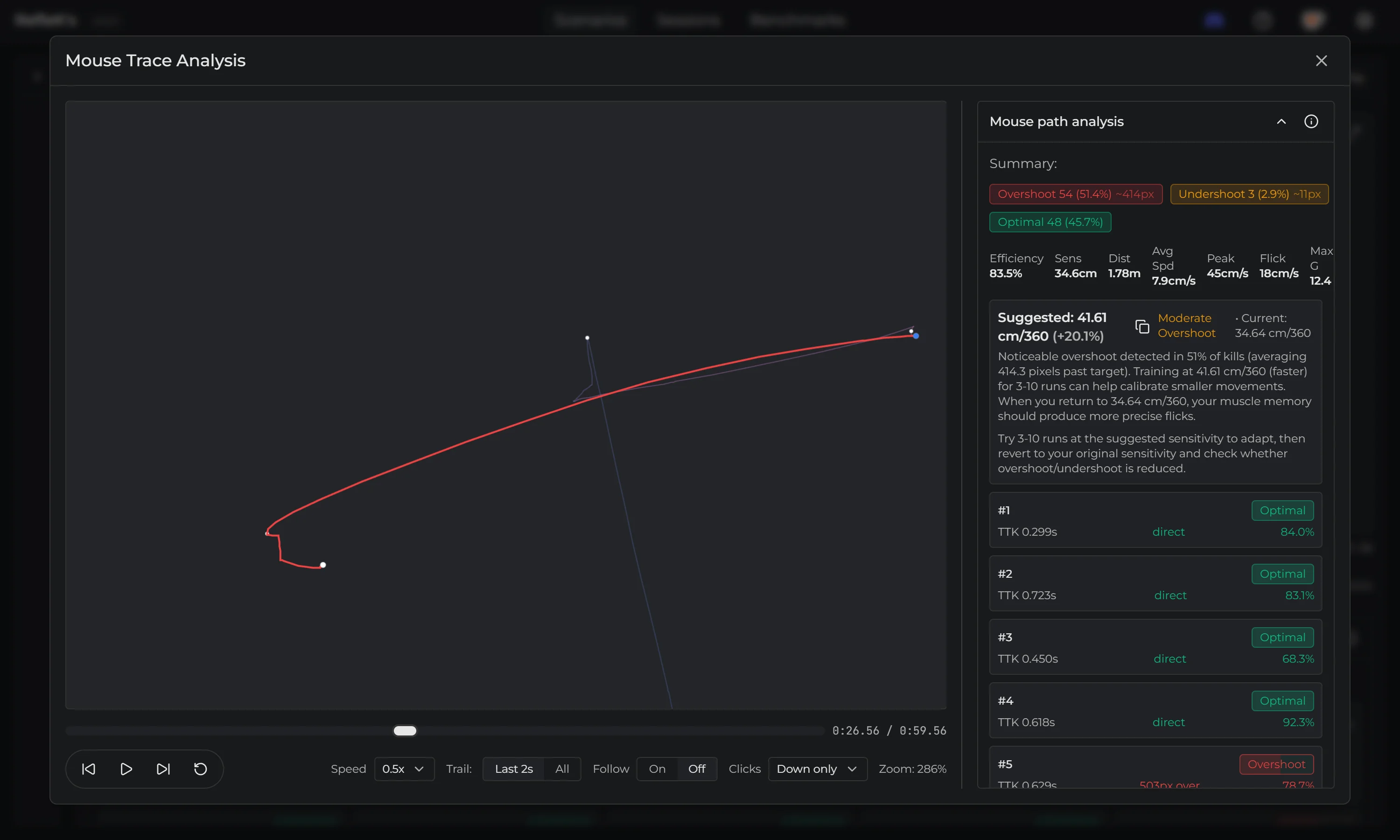
Playback & Analysis
After a run, you can view the recording:
- Replay: Watch your mouse path with play/pause controls
- Speed control: Slow down or speed up playback
- Scrubbing: Jump to any point in the recording
- Path visualization: See your entire mouse path
Automatic Insights
RefleK's automatically analyzes your mouse movements:
- Overshoots: When you move past the target
- Undershoots: When you don't reach the target
- Inefficient paths: Curved or wobbly movements
Sensitivity Training Suggestions
Based on your overshoot and undershoot patterns, RefleK's suggests a training sensitivity to help you improve:
- Frequent overshoots: Suggests a higher sensitivity to train with smaller, more controlled movements
- Frequent undershoots: Suggests a lower sensitivity to train with larger, more confident flicks
This is counterintuitive by design - the goal is to train your muscle memory to compensate for your current weaknesses. After 5-10 runs at the suggested sensitivity, switch back to your normal sens. You'll likely find your movements more refined.
Performance
Mouse tracking is optimized to have minimal impact on your system:
- Recording doesn't affect your in-game sensitivity
- Minimal CPU and memory usage
- No impact on game performance