Stats Folder Issues
Fix problems with stats folder detection.
Stats Folder Not Detected
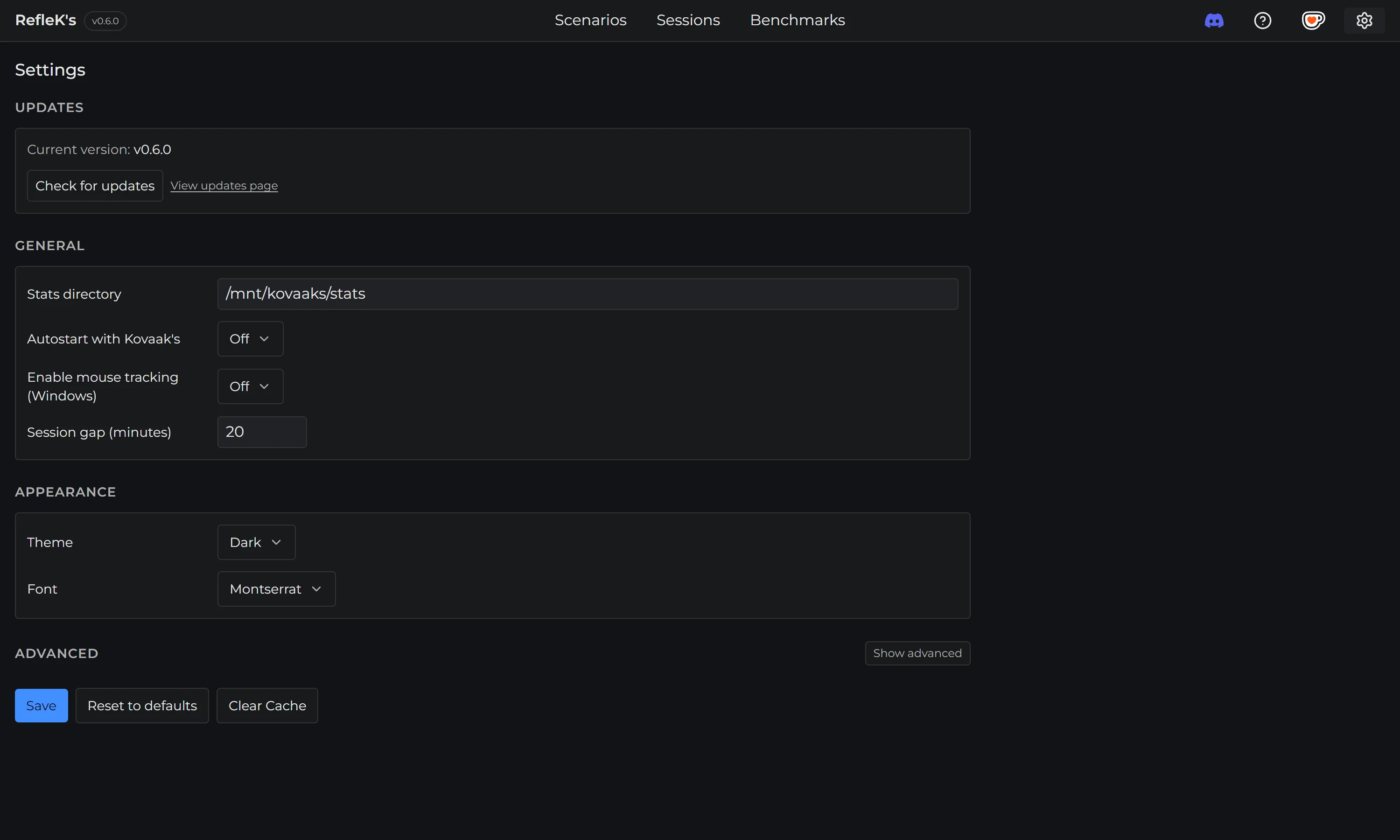
If RefleK's can't find your KovaaK's stats folder automatically, you'll need to set it manually.
Manual Configuration
- Open Settings (gear icon in the top right)
- Go to General → Stats Folder
- Enter the path to your KovaaK's stats folder
Common Locations
The stats folder is typically at one of these locations:
-
C:\Program Files (x86)\Steam\steamapps\common\FPSAimTrainer\FPSAimTrainer\stats -
D:\SteamLibrary\steamapps\common\FPSAimTrainer\FPSAimTrainer\stats
Finding Your Stats Folder
- Open Steam
- Right-click on KovaaK's in your library
- Select "Manage" → "Browse local files"
- Navigate to the
FPSAimTrainerfolder inside - You should see a
statsfolder
Verify the Folder
The stats folder should contain CSV files with names like:
ScenarioName - Challenge - 2025.01.28-14.30.45 Stats.csv
If you see these files, you've found the right folder.
Still having issues? Join our Discord server for help.